
Home LAN
17 May 2025 · Network
Overview
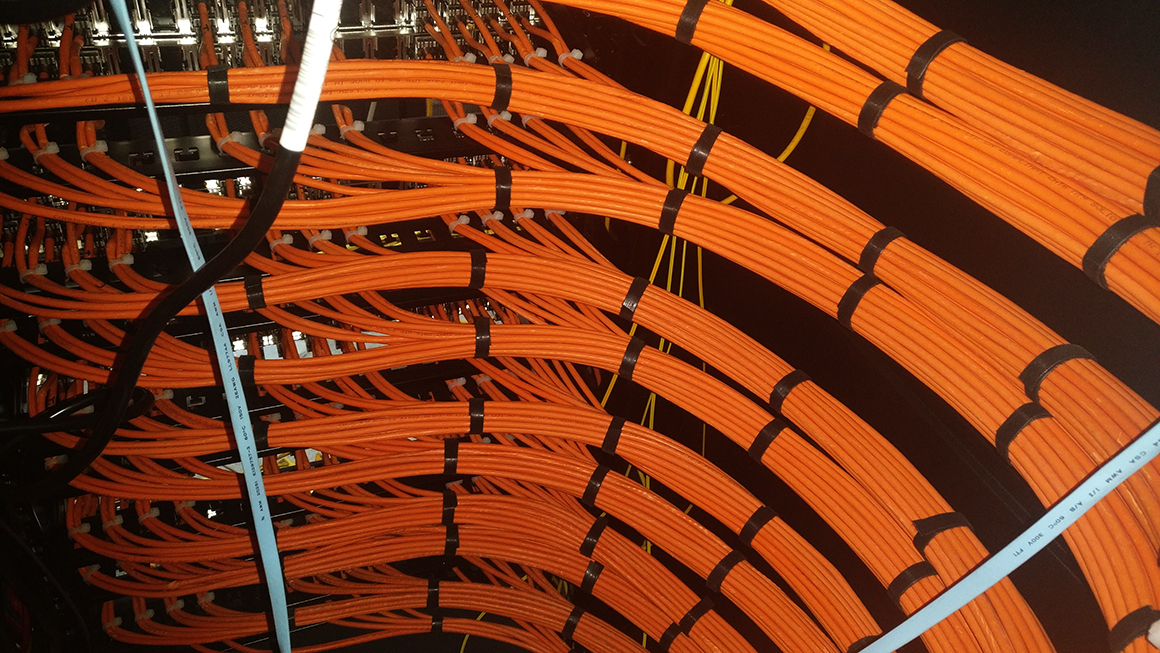
The cabling isn't mine, it's the back of one of the racks in the lab at work, I wish my cabling was the tidy... maybe one day!
I'm not an engineer. I do like dabbling with stuff, so this is a bit dabbly and I'm sure there's a better way to do what I want to do, but this works for me, so I'm good with it.
Cabling
When we moved in one of the first jobs I did was to put Ethernet cable everywhere. OK everywhere is a bit of an exaggeration... Living room, Family Room, Kitchen, Garage, Office, Kids bedrooms, Playroom. We've got a storage space above the garage, that's the heart of the network. It's cooler than the rest of the house, during the summer it's pretty warm, but cooler than anywhere else, during the winter, its not as cool as outside, but cool. The cabling all spreads out from here. The cabling is all purple, I told you I liked the colour purple! It's Cat6 cable everywhere & the longest run is about 40m so when I eventually upgrade to 10Gbps hardware, it'll all be sweet.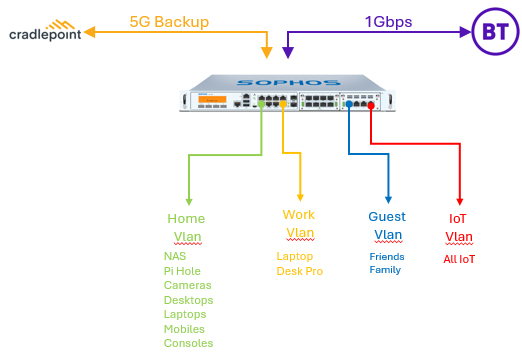
Hardware
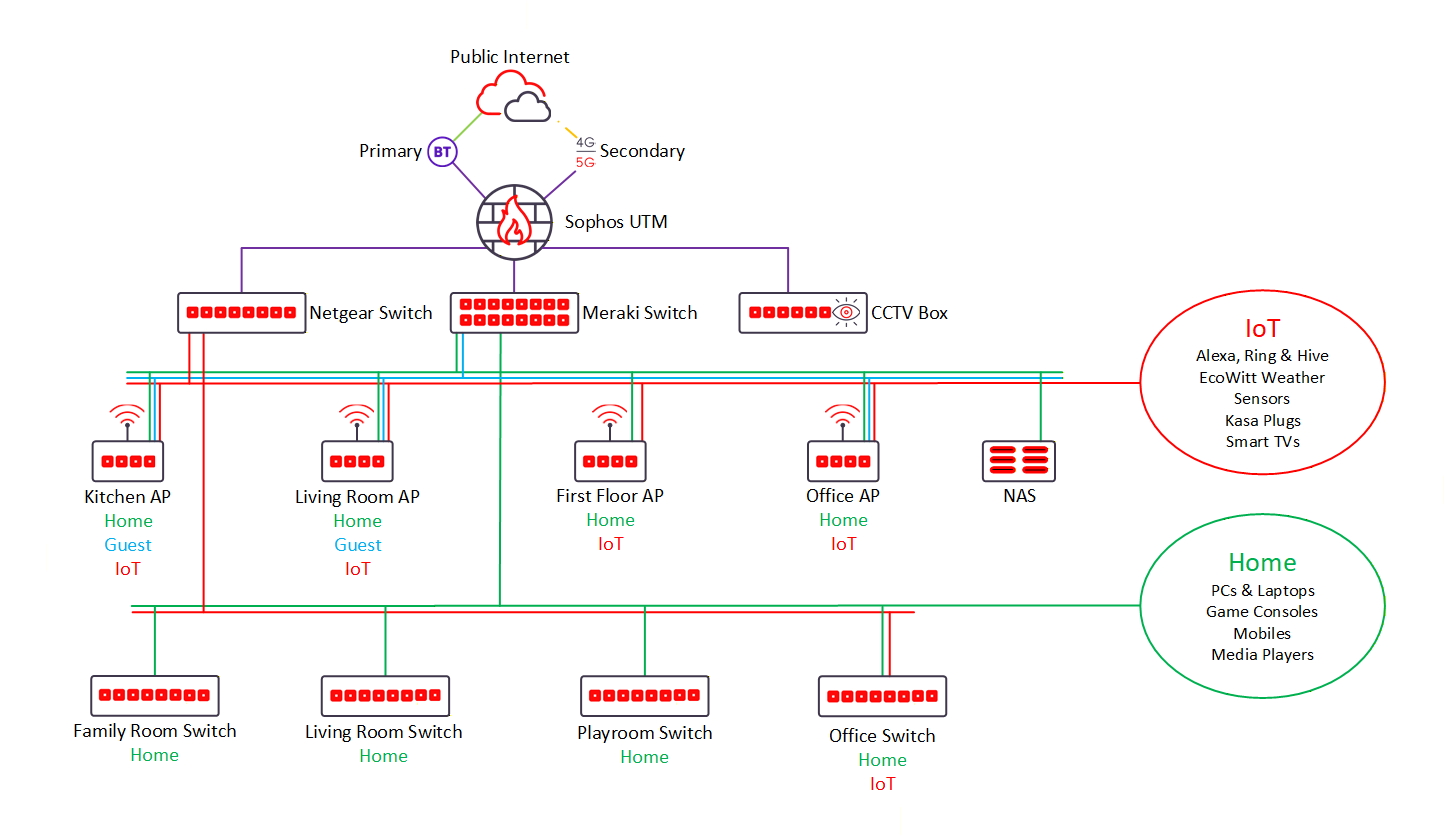
My internet is BT's 1Gbps fibre product. Their ONT unit connects directly into my Sophos UTM WAN interface. The UTM is the free home appliance, I run it on an old PC (Intel I3, 16GB ram, 128GB SSD). The Sophos has 3 LAN interfaces. It spits out Home, Guest, & work to one, IoT to another and CCTV to the third.Home, Guest & Work are into a 24 port Meraki MS220. IoT goes into a 16 port Netgear GS116E. CCTV goes straight to the CCTV box. The in room switches are Netgear GS108 & GS116 unmanaged switches dependin on the room. People complain about the Netgear switches, but I don't think you can beat em. They're cheap, well made and have metal shells, what's not to love? Home is wired into all APs and all the in room switches. Guest is into the downstairs APs. IoT is mostly wireless but there's an IoT port in the office too. Work is into the downstairs APs and into the Office switch.
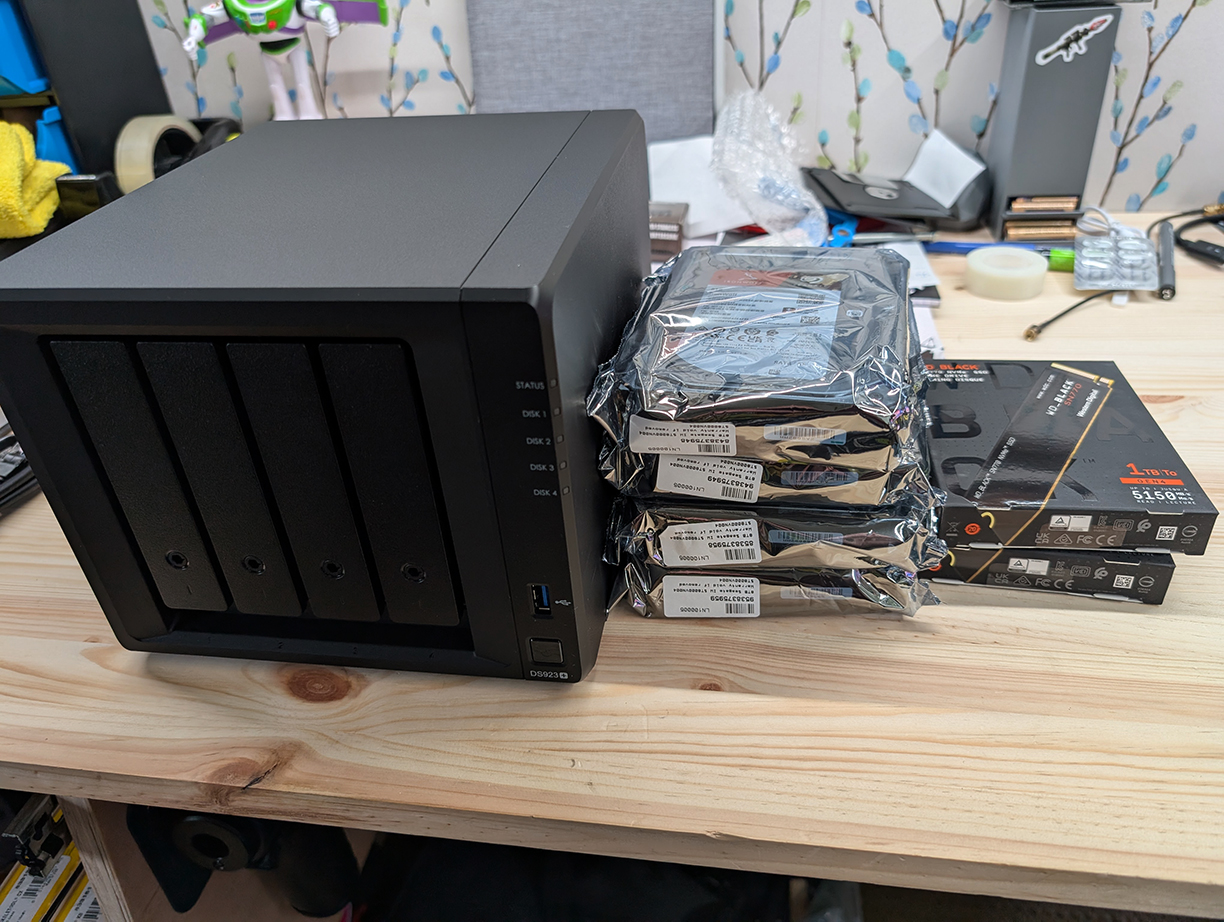
My main NAS is a Synology Diskstation with 4 x 8TB drives in a RAID5 24TB storage pool with 2 x 1TB SSDs for read/write caching. My old Qnap NAS is still on the LAN, but one of the drives is failling so I don't use it. I suppose I should really decomission it and put it on the shelf of dead electronics.
VLANs
I use 5 VLANs to segregate our network. Home, Guest, IoT, CCTV, and Work. My level of control and trust of the device determines whics VLAN the device ends up in.I've got some devices which I look after and trust, desktops, laptops, mobile devices, cameras etc. These go in the Home VLAN.
I've got some other devices which I look after and don't trust, Alexas, WiFi plugs, temp sensors, Hive etc. These go in the IoT VLAN.
I've got friends / family, they often come over and bring their own devices, which I nether trust or manage. These go in the Guest VLAN
The home VLAN contains all my managed, trusted devices. They can all see each other, all talk to each other and all share resources with each other. This is the happy place in our LAN. Firewall rules look out for unsavoury things and block access to a few darker corners of the internet, we're quite liberal parents but I don't want Mitch stumbling on pronhub.
The IoT VLAN has all the devices that I don't trust. They're allowed access to the internet and nothing else.
The Guest VLAN contains friends / family who come over. They're allowed access to the internet and nothing else. There's firewall rules stopping any browsing I don't want done. There's a 3D printed QR code to scan and join.
The Work VLAN contains our work laptops, no access to anywhere else, unfiltered access to the internet and rules in the firewall to skip any inspection. They use Zscaler at my work and it doesn't play nice when inspected. Nicky has never complained about issues of inspection, but I stuck her laptop in there for consistency, plus a whole /24 VLAN for one device seemed a bit excessive (it's fine for 2 devices though!).
Design
Design is probably a bit grand! Like I say, it works, so it's all good in my eyes. It does what I want it to, it's fast enough for now (10Gbps requires a big investment that I'm not yet ready to make!)
- Sophos UTM, network wide firewalling
- 10.0.x.x addressing with reserved /24 ranges per VLAN
- Pi-hole provides Home & Guest VLAN ad blocking
- Synology Directory Server for account privileges
- NAS for central file storage
- NAS runs Bitwarden, NextCloud, Home Assitant and a couple of other handy containers
- Laserjet on Home VLAN as a shared printer
- Old Epson Perfectio 1670 on Home VLAN as a shared scanner