
3D Printer
10 Jan 2026 · Prusa I3 MKiii · Knick-Knacks · Useful Things · Rapid Prototyping · Models
3D Printer
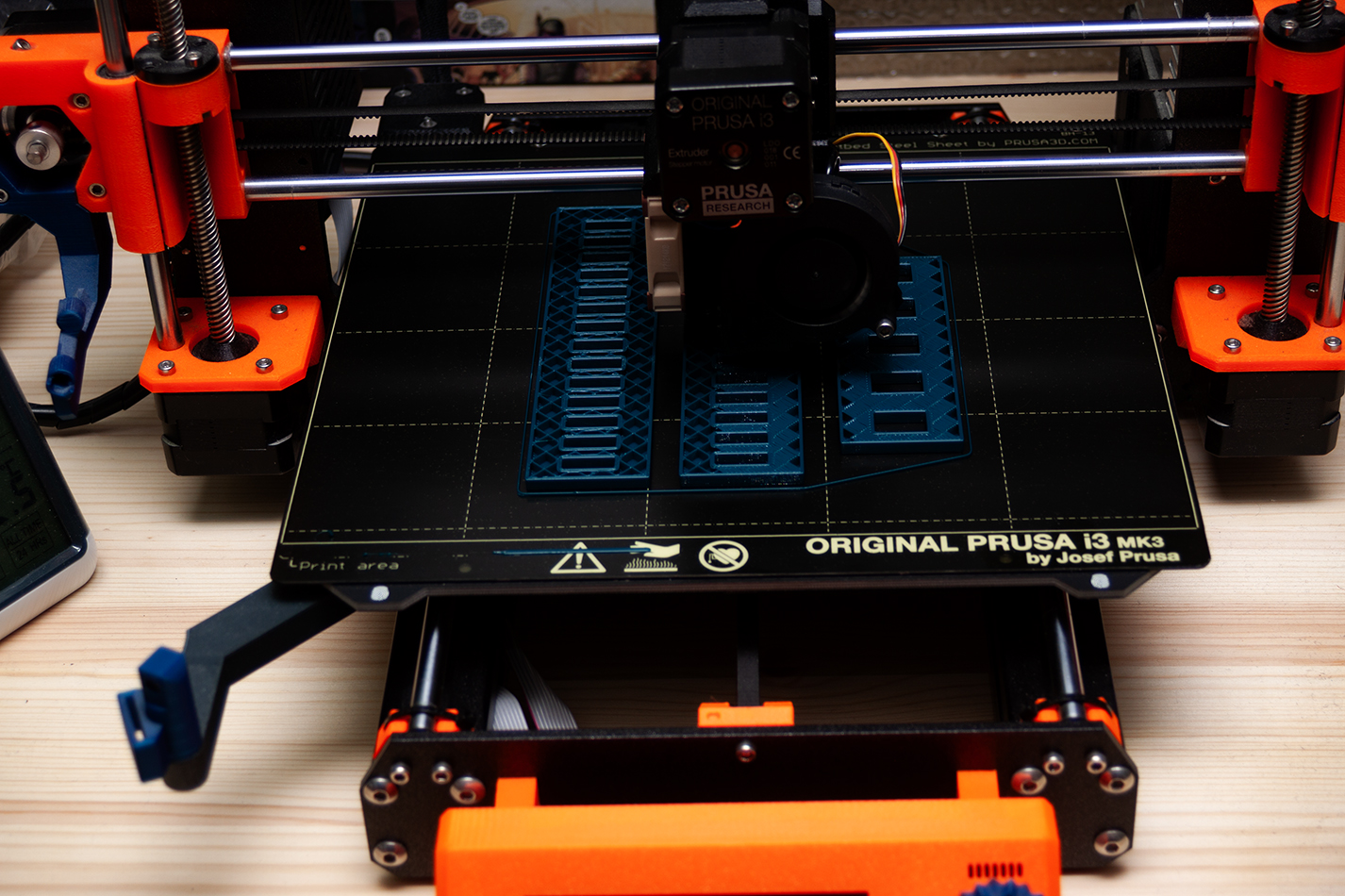
My printer is a Prusa I3 MKiii. I got it in Feb 2018. I bought the kit one rather than the assembled one, figured building it would help me understand it better than just unboxing it. It was a wise choice. The build manual is excellent and has proven very useful when changing various worn out bits and bobs. The chassis is aluminium section, the frame is steel, the plastic parts are all 3D printed. So if anything breaks / wears out or get upgraded you can simply download a model file and print a new one. I've got a couple of camera mounts on mine, so I can keep my eye on long prints from anywhere.

When I first got it, I used the obligatory roll or two of filament printing knick-knacks. I soon discovered Fusion360, which opens up a whole world of posibilities. Back in the day I worked as a draftsman so I'm familiar with CAD packages, I expected Fusion360 to be similar, but it isn't. It's not hard to use, and once you get the basics in your head, it's easy to model anything you can think of.

One of its many uses is making brackets to store things. The thing being printed in the image at the top of the page is an under desk bracket for a laptop, I don't use it all that often, so it's not one I want to keep in the laptop garage, but I do use it enough that keeping it in a drawer is inconvenient. Twenty minutes modelling in Fusion360, 5 hours printing it, couple of minutes screwing it to the bottom of my desk and problem solved.

I've got a couple of magnetic tool holders on my wall, one over by the printer with bigger tools pullsaw, spanners, big screw drivers that I don't use that often up here and one on the wall I look at when I'm sat at the computer bit of the desk that has a bunch of common screw drivers, tweezers, scissors, poking tools etc. Where do I store tools that are handy to have close to hand but not used often enough to be on the magnet...


What about those LEDs you've put around the shelf in your room? Or the ones under the desk? C'mon you know the answer... You 3D print a switch holder and put S above the shelf switch and D above the desk switch

It makes really good boxes too. I've got a couple of Lilygo LoRa nodes at home and in my car, I'm sure you can buy a box for em, but with a printer and Fusion360 why not make your own.


