

| Device | ClockworkPi uConsole |
|---|---|
| Build | Raspberry Pi CM5, 8GB RAM, 32GB eMMC, CM5 IO board and HackerGadgets RF board |
| OS | Rex's Debian Bookworm image |
| Best for | Portable Linux, radio projects, SDR, field notes, SSH, tinkering and small jobs away from a desk |
| Good bits | Excellent form factor, useful keyboard, good screen, proper Linux environment and loads of project potential |
| Annoyances | Trackball, CM5 setup faff, delivery wait, power draw and some speaker interference |
| Worth it? | Yes, if you enjoy building and tinkering. Probably not, if you want a polished handheld laptop replacement. |
This is my real-world ClockworkPi uConsole review, based on a Raspberry Pi CM5 build with the HackerGadgets RF board, 32GB eMMC, Debian Bookworm and a mix of portable Linux, radio and field-use experiments.
ClockworkPi uConsole
This arrived on Tuesday. I don't remember exactly when I ordered it, but it was roughly in line with the 90 working days they said it would take to arrive. I ordered the black non-LTE version without a compute module. I ordered the 8GB CM5 with a 32GB eMMC and a CM5 IO board from Pimoroni, which both arrived a couple of days later.
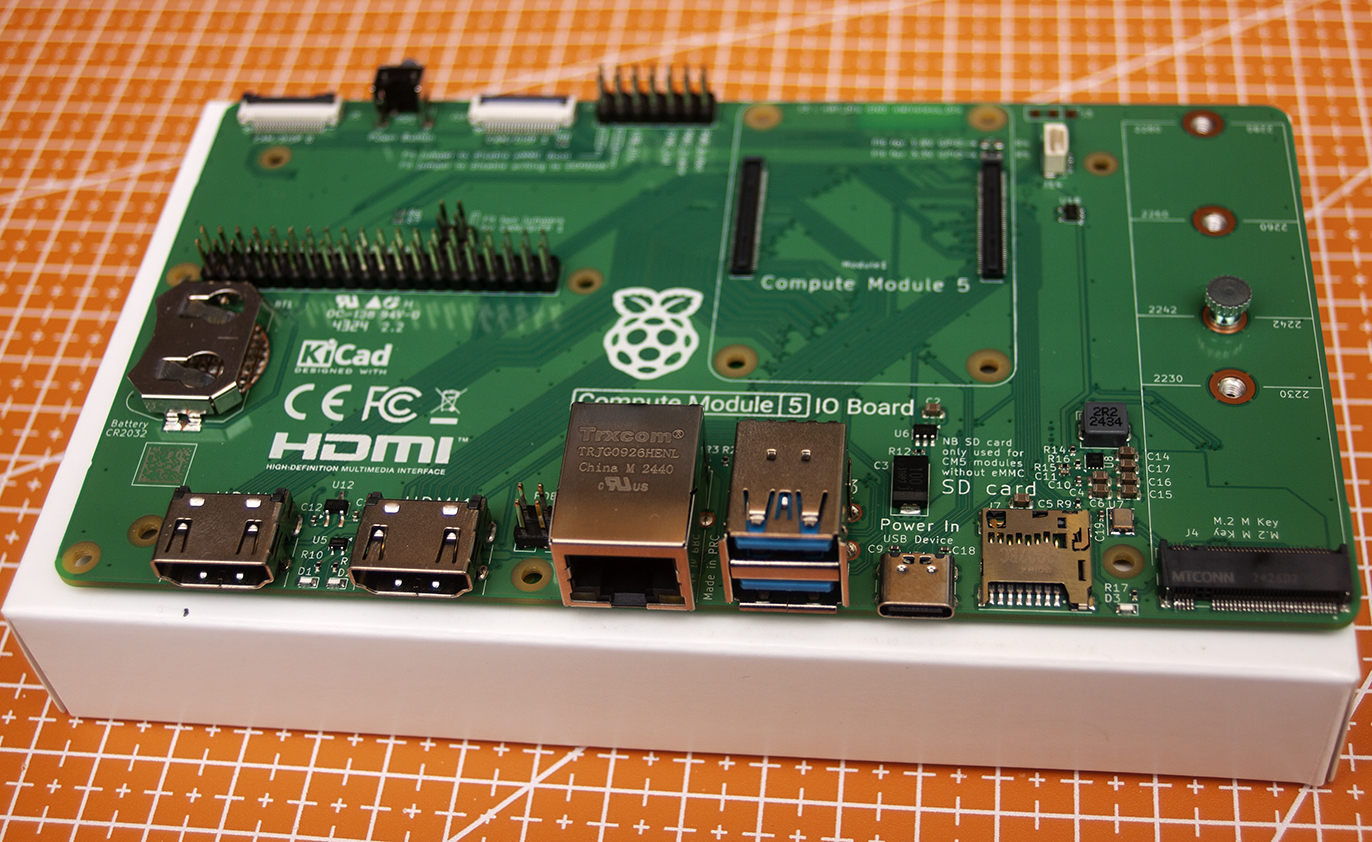
The eMMC is a bit of a faff to flash an OS onto. You need to boot the IO board with a jumper, then run an application so Windows can recognise the CM5 eMMC, allowing you to install the OS. I used the Raspberry Pi Imager to flash the OS.
I think it's probably worth it to avoid booting from an SD card. It's currently running Rex's Bookworm 6.12 image. I've tried a couple of other images, and the Bookworm one seems to be the most stable. A close second is Rex's Kali image. The other images I tried were a bit too buggy for daily driving. I've still got a couple of issues with Bookworm, but nothing major. I'm sure the official image for CM4 is fine, but the jump in power from the CM4 to CM5 is worth the bugs.
Hardware
The device comes as an assembly kit. The main chassis holds the components together. The screen, motherboard, keyboard and power board all mount into the chassis with screws into nicely cut threads. The kit is quick to assemble and the provided instructions are clear and easy to follow.
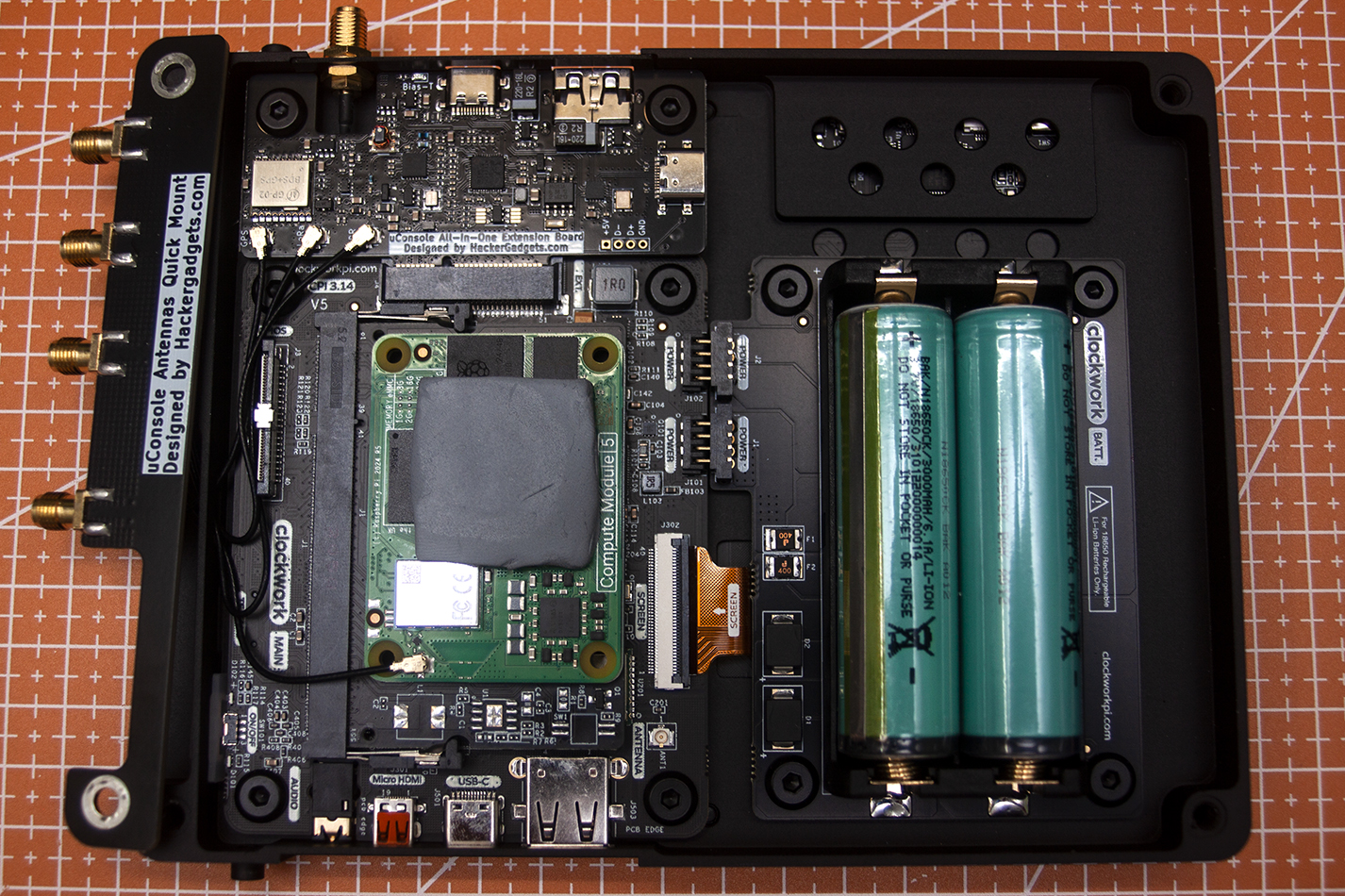
The PCBs are tacticool black with good quality screen printing. The components are well placed and the visible soldering is tidy. The interface between the power board and motherboard is via chonky connectors which align well. The kit took about 10 minutes to assemble; the flashing process took a bit of reading and a couple of attempts.
The keyboard is rubber with nice clicky buttons. It has a very similar look and feel to the keyboard on the Clockwork PicoCalc. The keys are big enough for two-thumb typing. It's fairly accurate, though the N key is a tiny bit hit and miss. This might be an artefact of the CM5 Bookworm image or it might be hardware. Hopefully it's the image.
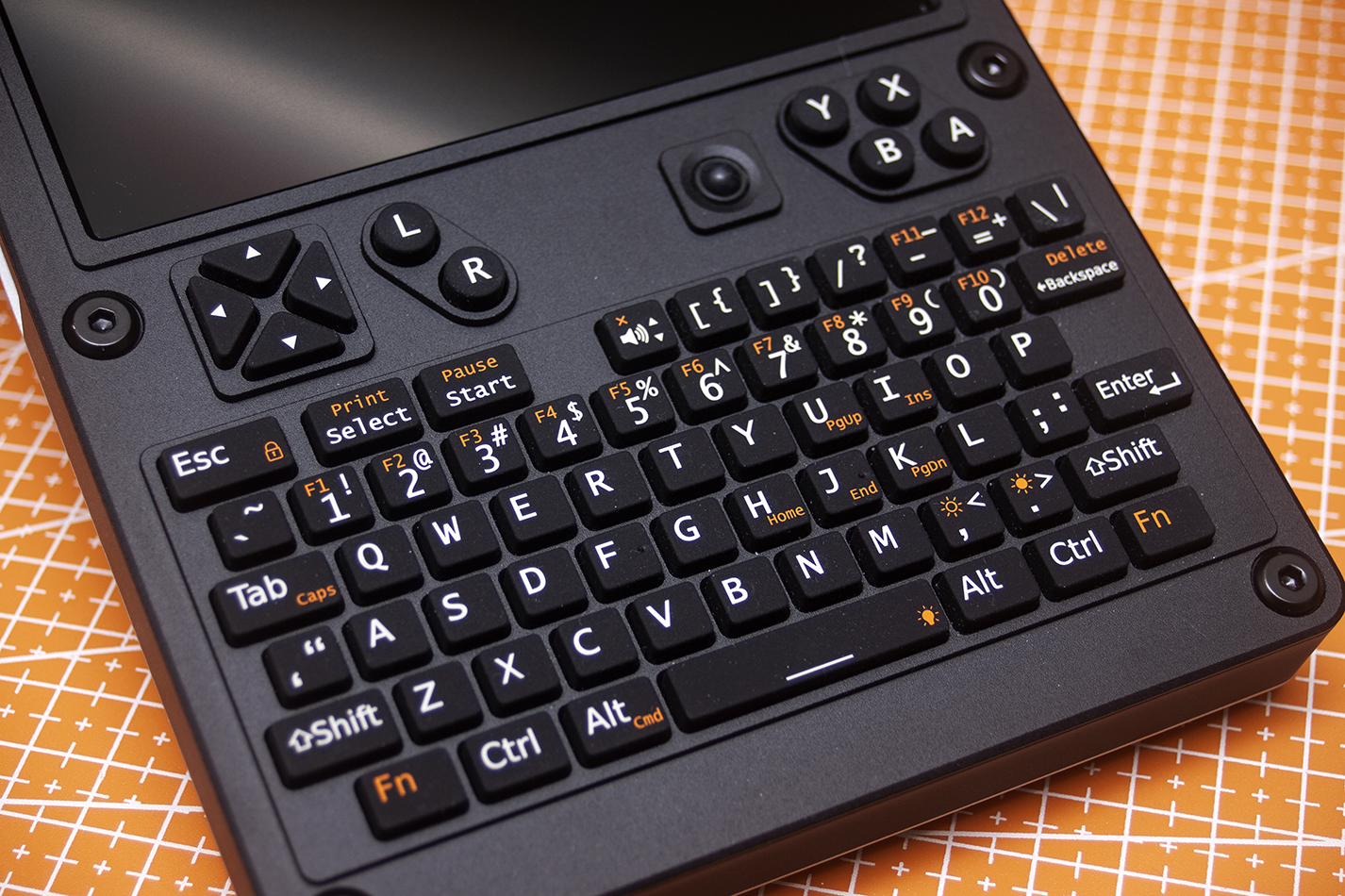
The trackball is the weakest part of the keyboard. I think it may be another artefact of the image. It's less bad on the Kali image, but still not good. The smoother overall experience and my lack of need for hacking tools is the reason I've settled on the Bookworm image. I've got a Bluetooth mouse hooked up to it, so no biggie. I'm sure as the image ages and develops over time this, along with the N key problem, will be solved.
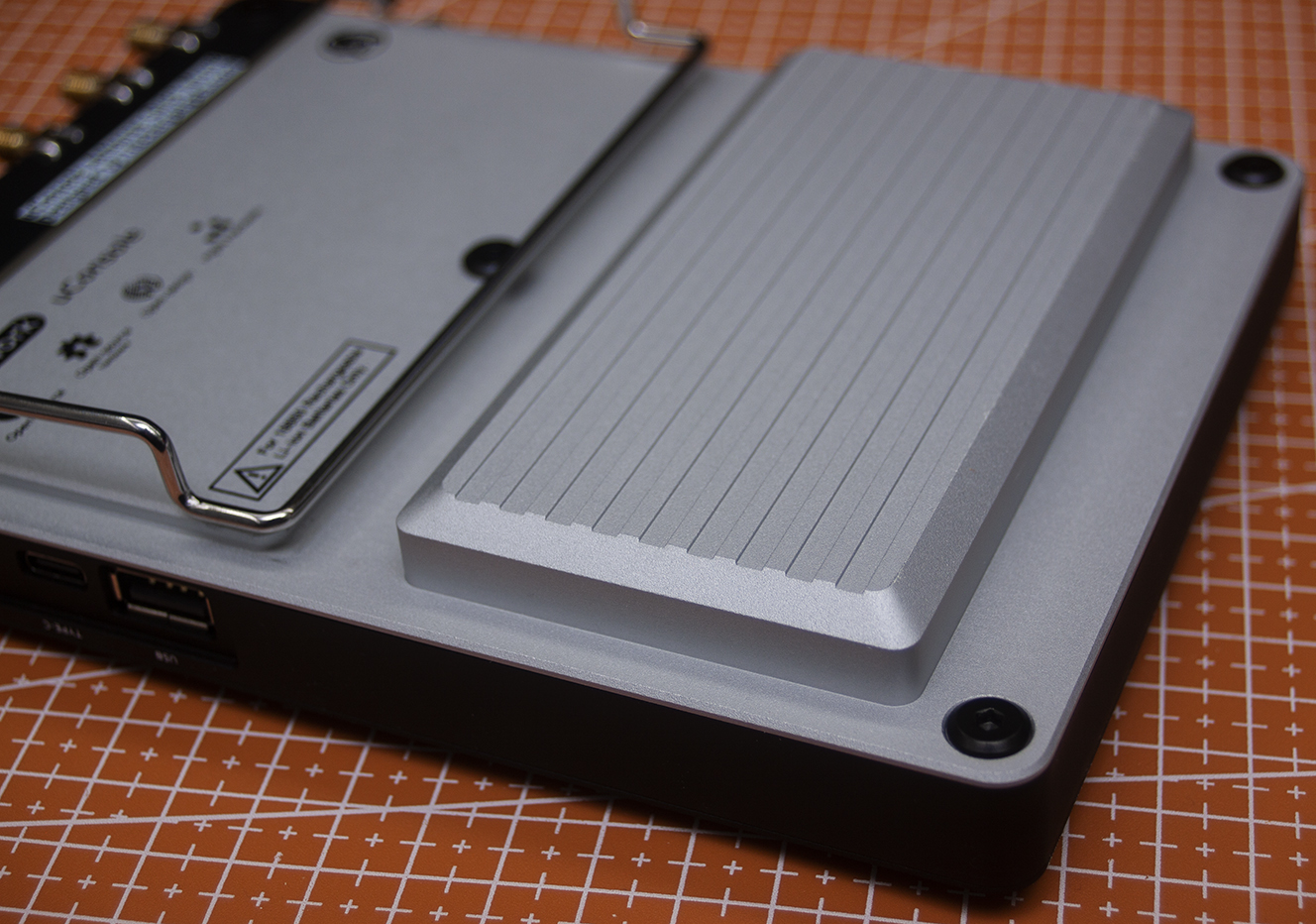
The back of the case houses the 2 x 18650 cells behind a ridged bulge which fits nicely in my hands. It doubles as a heatsink for the compute module. It does get quite toasty if you work it hard. Maybe there's a 3D printed rear with a fan in the future of the device? Part of me likes the silver back; part of me wishes it was black to match the front. I like the black printing, but I'm not sure it would work in white on black.
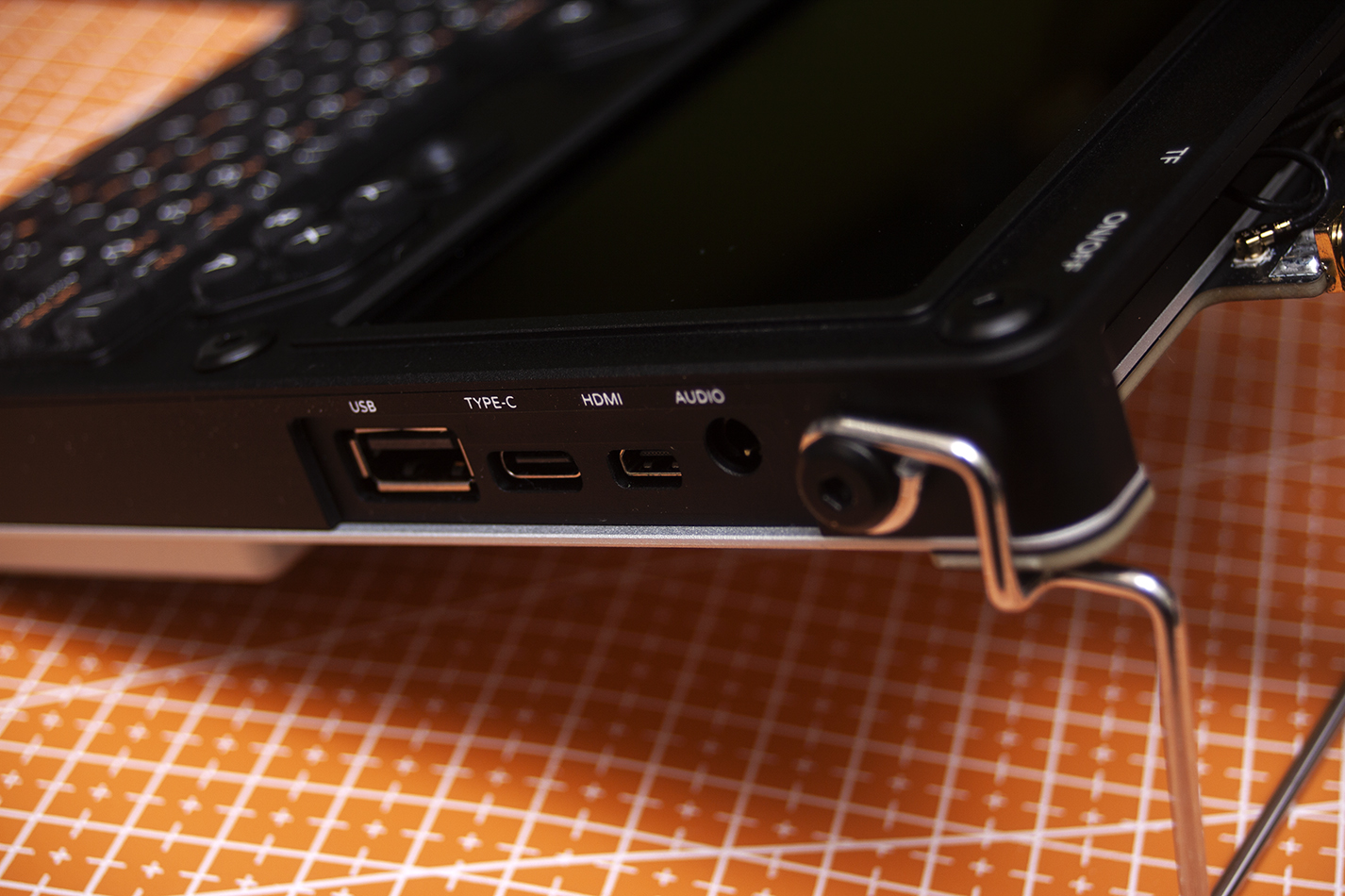
Round the right hand side there's a USB-A port, a power-only USB-C port, a micro HDMI port and a 3.5mm audio jack. It's a shame the USB-C is power only. Being able to quickly hook it up to a dock for desktop use would be ace. The port cutouts are well done. They line up with the connectors and the printing is clear.
The wire stand is a bit clumsy and feels like an afterthought. I like the central screw that holds it in place, but I prefer the unit without it. The 3D printed one I may or may not be working on has a pair of kick stands, which I think is a better solution. I guess this would have added significant additional process steps to the aluminium back panel, and part of the fun of a gadget like this is making it your own.
The screen is a 5" 1280x720 display. It's clear and responsive with an even backlight. It's worked perfectly with each image I've tried. The resolution is perfect for the size. It's easy to look at, fonts are clear and colours are reproduced well. I've not tried to run any games on the screen, but for a handheld 'puter it is great.
I'm powering it with 2 x 3000mAh 18650s. On a full charge it's good for about 90 minutes working it and about 3.5 hours minding its own business. It can be charged while in use. Obviously, if you put bigger cells in, it will last longer.
The onboard teeny tiny speakers obviously don't provide much in the way of booming bass. They're a little harsh and scratchy. They're fine for what they are. The clip below is a recording of the speakers when running SDR++ and flicking about the FM broadcast band.
The 3.5mm audio jack quality is fine. With headphones the audio is round and well formed. Perfectly fine for watching movies, games and similar. The clip below is a recording of the audio output when running SDR++ and flicking about the FM broadcast band.
RF Board
I ordered a HackerGadgets RF board and antenna mount board soon after I ordered the device. The board has an RTL-SDR, real-time clock, GPS and USB hub. It slots into the expansion port on the left side of the uConsole and the antenna board sits on the outside of the case at the top. The main board has a bias-T SMA connector, USB-A and USB-C.
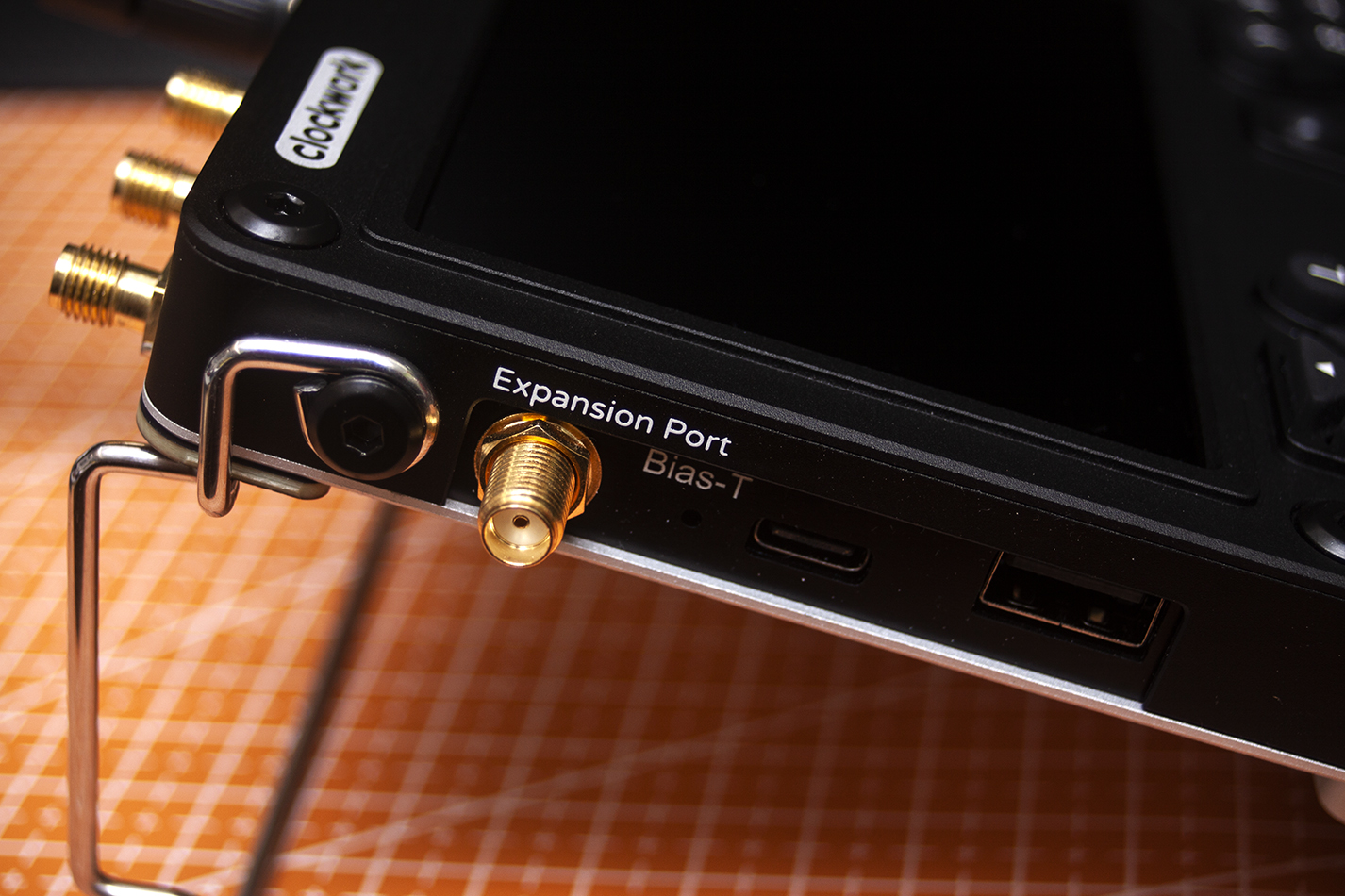
The antenna board has 4 x SMA antenna connectors to connect up a Wi-Fi antenna, GPS antenna, LoRa antenna and an RF antenna for the SDR. Mounting the antenna board on the outside of the case is, I guess, the only practical way of housing the board without supplying a new back. We're back to the 3D printed one again. The board isn't marked, I guess to enable you to route the cables wherever suits you, but I wish they were.
The RTL-SDR works well with SDR++. I've not tried running Meshtastic yet. I've got a couple of nodes at home but aside from mine, there's nothing round me, so Meshtastic isn't something I use all that often. I've not tried the GPS yet either.
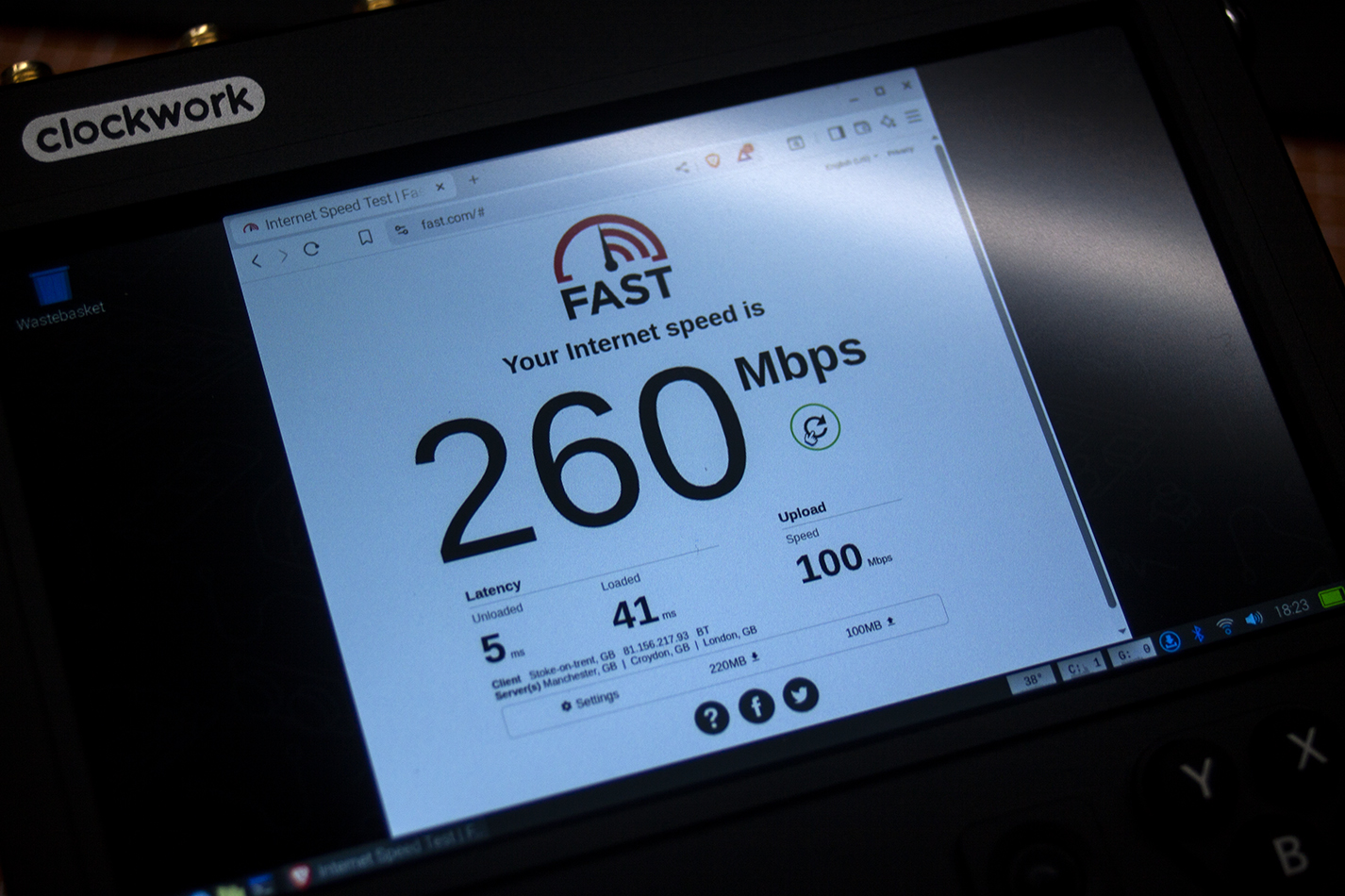
The uConsole supplied Wi-Fi antenna is about 6% better than useless. Even if you're not an RF kinda guy, an external Wi-Fi antenna is a must. I'm using the antenna from a router. Using this rather than the included antenna increases internet speeds in my office from 6Mbps to 260Mbps. Everything in the office is wired, so the Wi-Fi blackspot it's in isn't normally a problem. The uConsole highlighted the issue to me and the external antenna has solved it to a level I'm happy with.
Software
I'm running Rex's uConsole Debian Bookworm image. I've added LibreOffice, Brave browser, SDR++, GIMP, VLC and a couple of other applications. They work well on the CM5. It has enough speed and RAM to be a capable, usable device. It's ideal for public transport, hilltops and other situations where a laptop is a pain. The video below shows it running apps.
When I use the device it seems to be picking up interference and playing it out through the speakers. It's not loud and doesn't happen all the time, but it is noticeable. My first thought was that it's the RF board or antenna wires. Removing the board and wires has no impact on it. The only thing that stops it is plugging it into USB power. I'm stumped.
Future Plans
The device is designed to be hacked. It's fully open source. There are 3D models of the chassis, front and rear, so making replacement parts to suit your use case is fully catered for. I've got a couple of plans for mine.
- Rear kick stand.
- Cooling.
- Protective case.
- Power source, possibly 21700 cells.
Once I've got the kick stand to a place I'm happy with, I'll share some pictures of it. Word on the street is that shims and a nice thin thermal pad help with heating. This is what I'm currently messing with. There's an active community over on the Clockwork Forum, so inspiration is only ever a couple of clicks away.
UPDATE: I've replaced the Blu Tack thermal pad with pre-cut 12 x 12 x 1.5mm ones.
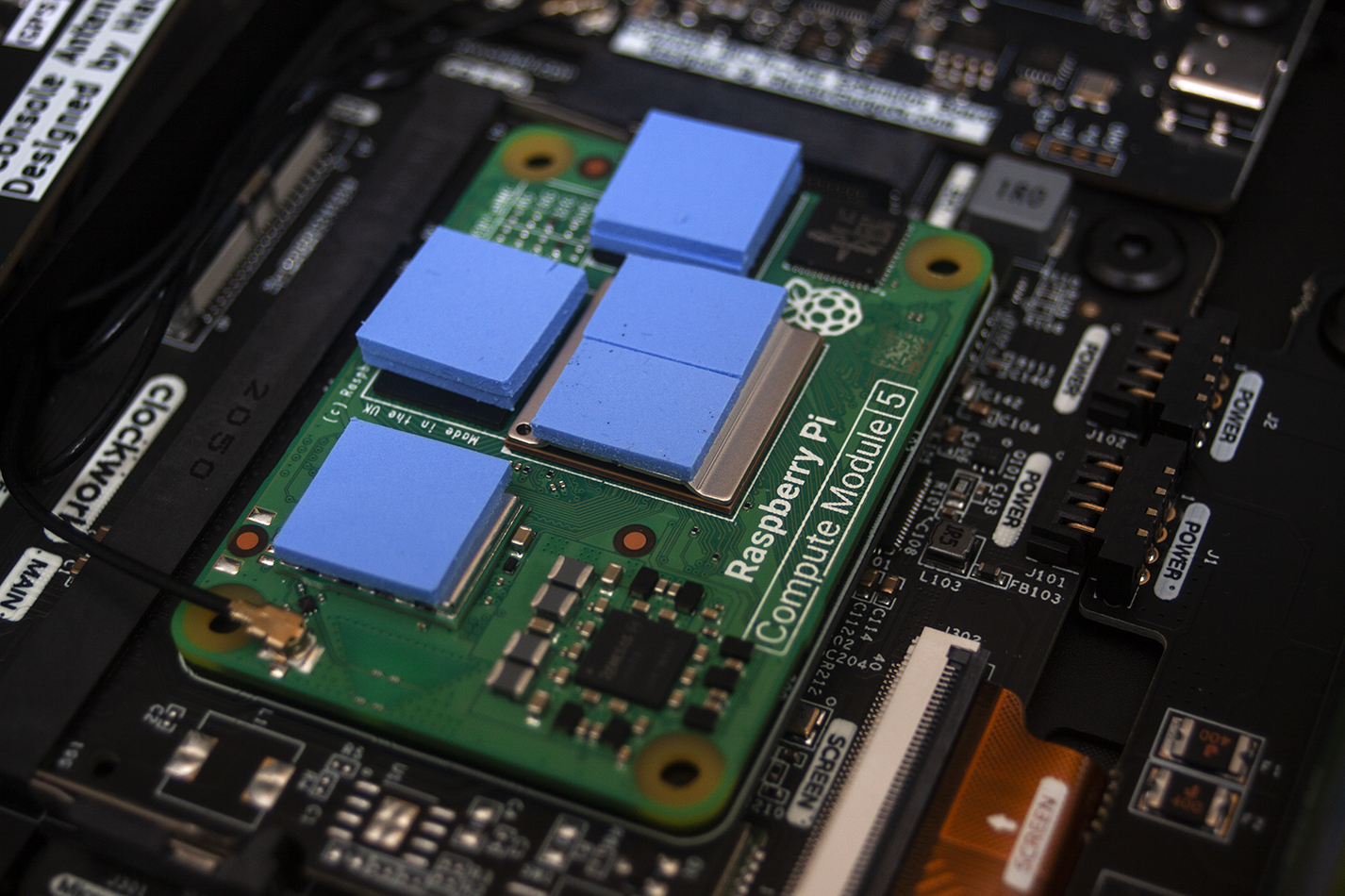
SoC: 2 x trimmed pads.
eMMC: 2 x stacked pads.
I/O controller: 2 x stacked pads.
Wireless module: 1 x pad.
They're the hot things on the board and they now all nicely dump heat into the case. On standby it hovers around 38–42°C.
Thoughts
It's never a device that's going to replace a desktop or laptop, but it's so much better than any of the Pi-based portable boxes I've built myself. The interface is fine for amending documents, web browsing, touching up photos prior to posting and similar jobs. The form factor is perfect for portable use.
The CM5 is still a bit faffy. If you want an out-of-the-box experience, the CM4 is probably the way to go, but if you're prepared to do a bit of faffing, the jump in performance from CM4 to CM5 is noticeable in daily use. Rex has done outstanding work with the Bookworm image. It's my recommendation for daily use.
Things I'm having issues with:
- Trackball: my fix has been to ignore it and use a Bluetooth mouse. I'm happy with this solution.
- N key: I'm careful whenever I press it and check after pressing. I'm happy with this.
- Interference: plug it into USB power and it stops. I'm not happy with it, but it's not enough for me to want to look much harder to fix it. I'm telling myself it's a software thing and it'll get sorted.
Overall the device is perfect for what I wanted it for. I love the form factor and style of the device. It took about 90 working days from order to delivery, which is a long time, but they said it'd take that long, so happy days. I look forward to seeing what other people do with theirs and can see it being a device I use for years to come.
Awesome size & style · CM5 makes it perform well · Good screen
CM5 requires a bit of tinkering · Power hungry · Delivery time